- Machine relocation starts with documentation and planning — not at the machine.
- Most errors happen with cables and transport routes.
- Well-prepared relocation saves days of work.
Relocation starts on paper and on your phone — not at the machine.
The worst relocation is the unprepared one. No cable photos, searching for an electrician at the last minute, a machine that doesn't fit through the door — we've seen it all. And every time the cause was the same: someone skipped preparation and winged it.
One hour of documentation before = one day saved after. That's not an exaggeration. Here's what to do before anyone touches the machine — step by step, with practical tips. You can print this and take it to the shop floor.
STAGE 1: Photo Documentation
This is the most important stage of the entire relocation. Seriously. You can do everything else perfectly, but if you don't have photos of cables and connections, recommissioning the machine becomes a detective puzzle that eats days.
What to photograph?
- Key cables and harnesses — especially power, control, and communication. How they run, where they turn, where they enter the machine.
- Connectors and plugs — close-ups. How it's plugged in, what type of connector, which cable color goes to which pin.
- Power supply rails — connection method (phase sequence, markings). If unsure — leave it to the electrician, but take a photo.
- Nameplates — on the machine, motors, control cabinet. Useful during reconnection.
- Servos and sensors — photo + description. Best: marker and label next to the cable in the photo, so you know which photo belongs to which sensor.
- Limit switches and their positions — photo showing mounting and cable routing.
- Control panel — screenshot or photo of parameters, settings, configuration. If the machine has a display with menus — go through the key screens and photograph them.
- Pneumatics and hydraulics — hose layout, gauge pressures, connection sequence.
- General views — machine from four sides, from above if possible, wide shot with context (what's around it).
How long does this take? For a typical CNC machine — 30-60 minutes. For a complex line — a few hours. This is the best time investment you can make.
STAGE 2: Cable Labeling
Rule number one: label the cable BEFORE you disconnect it. Not after. Not "I'll label it in a moment." BEFORE. Because after disconnecting you have two cable ends that look identical to twenty other cable ends, and nobody remembers which one went where.
How to label?
- Tape/marker on both ends of the cable — same number/label on both ends. E.g. "M1-S3" (machine 1, servo 3).
- Schema: from → to — write on paper or phone: "cable #7: control cabinet, terminal X12 → Z-axis motor, right connector."
- Signal type — 400V power, 24V control, analog signal, communication. So you don't mix up power and signal cables during reconnection.
- Servos and sensors — if you need to disconnect them, label the connector numbers. Servo motors typically have power and encoder connectors — label both.
After labeling:
- Coil cables in loose loops (not tight — cables don't like that).
- Secure with tape or cable ties.
- Attach to the machine so they don't hang and snag during transport.
- Protect connector ends with plastic wrap or tape against dust and moisture.
STAGE 3: Technical Assessment Before Moving
Documentation done, cables labeled. Before anyone grabs a jack, you need to know several things about the machine itself and the route it will travel.
Center of gravity
Before moving the machine — find its center of gravity. Without this, even a 5-ton machine can behave unpredictably on skates. It pulls to one side, the crew panics, and you lose time. Usually the center of gravity is shifted toward the largest motor or work table — you can estimate this visually or from documentation. Better to know beforehand than to be surprised mid-move.
Weight
Check the nameplate, check the manual (DTR), or call the manufacturer. Weight determines equipment selection — jacks, skates, transport straps. Always select equipment with at least 20% margin, and with uncertain weight — even 50%. If the machine weighs 8 tons, use 10-ton equipment.
Lifting points
Where to place jacks? Don't place a jack under a sheet metal cover or parts that can deform — you need a solid structural element. Look for the load-bearing frame, cast base, ribbed structural elements. If you have a manual — check it, sometimes the manufacturer marks lifting points. But don't rely on it blindly — many manuals don't have this info, and those that do refer to crane lifting (slings), not jacking from below. Best to assess the machine's construction yourself and find spots that will actually bear the load.
Floor condition — along the entire route
Walk the entire route from the machine to the destination. Look for: floor cracks (skates can drop into them), thresholds, slopes, hall entrances. Measure the width of every passage — the machine must fit along with any protruding parts.
Hall exit angle
This is a trap that few people notice. With long machines that need to exit the hall at an angle — the rear swings the opposite way. It can catch on the floor, doorframe, or wall. Measure, draw, think it through. Keep in mind that a machine on skates is a few centimeters higher than on its feet.

STAGE 4: Route Planning
You've measured the machine, know the weight, and the center of gravity. Now plan the route.
- Measure all passages — hall gate, doors, corridors, turns. The machine must fit through with ALL protruding parts — control panels, feeders, cabinets.
- Plan the sequence — what to move first, what to temporarily disassemble. Maybe a shelf needs to move aside, maybe a door wing needs to come off.
- Draw the route on a floor plan — not in your head, on paper. Mark columns, gates, stairs, ramps, floor channels. Show the crew BEFORE, not during.
- Delivery and pickup — if the machine goes on a truck: where will the truck park? How will you move the machine from the truck into the hall? Is there a ramp, or do you need a crane/truck-mounted crane for unloading?
STAGE 5: Plan Your Crew and Equipment
How many people?
Minimum: 2 people for skate operation, 1 for jacks, 1 electrician/automation specialist. For large machines (over 10 tons) — 4-6 people. Plus someone to coordinate who has the route plan and makes sure nobody stands in the wrong spot.
The crew must be coordinated
This is not a job for random people. Everyone must know their role, watch their section, and react immediately. A machine on skates is several tons in motion — you can't stop it by hand — there's no room for "I thought YOU were watching that." Discuss the plan before starting work. Everyone must know their role.
Equipment
Select for machine weight with at least 20% margin:
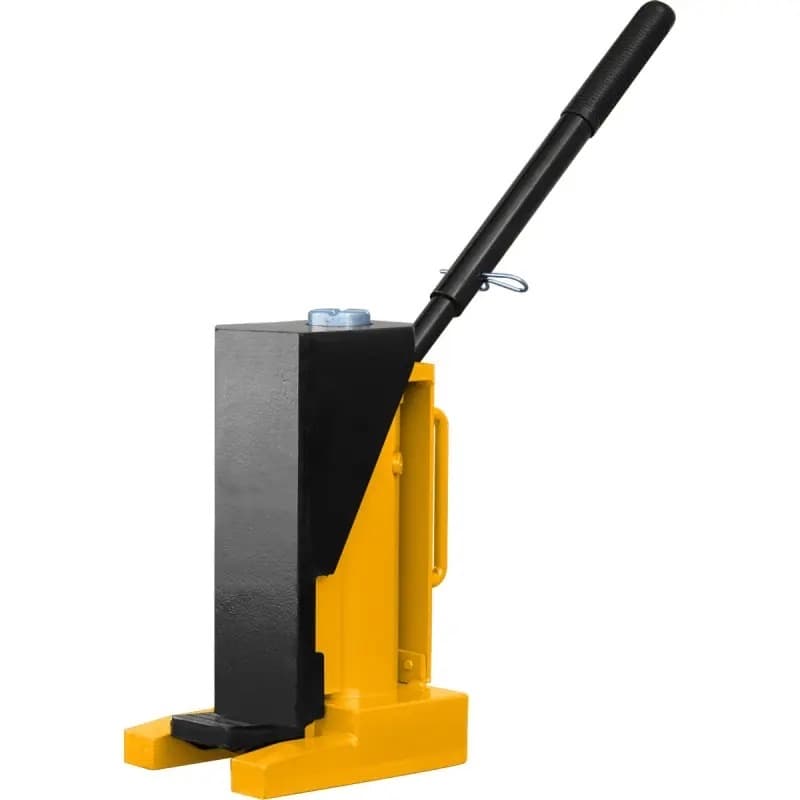
- Toe jacks — for lifting the machine. Gets under from 35 mm clearance. Toe capacity: 6,000 kg (10t) or 12,000 kg (20t).
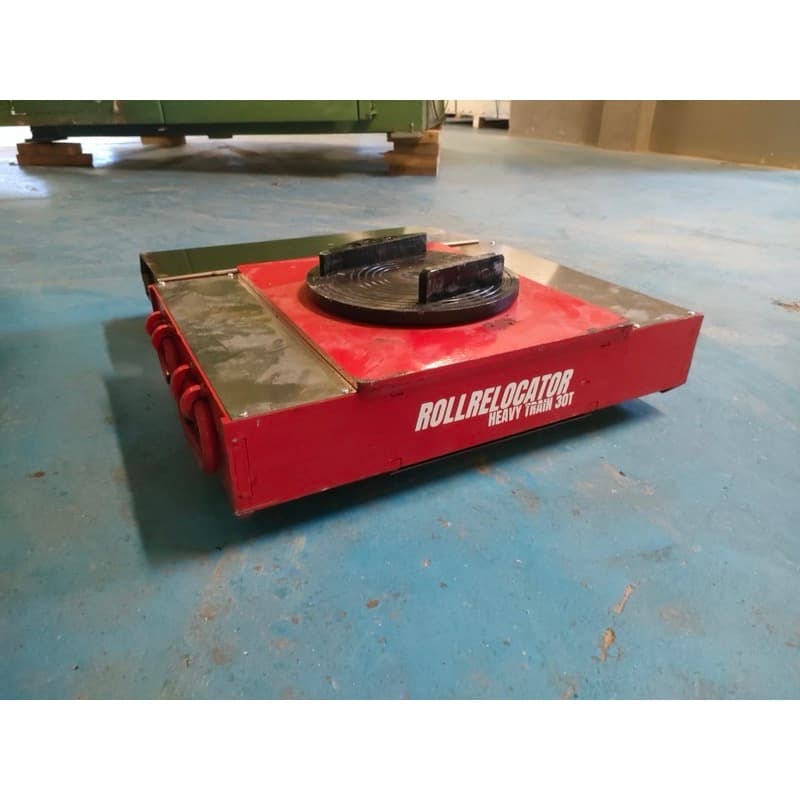
- Remote-controlled transport skates — for moving machines up to 15 tonnes on level, load-bearing floors. Operator controls movement by remote without physical contact.
- Pry bars — for precise lifting and manipulation of lighter machines.
- Timber cribbing pallet — euro pallet full of timber blocks of various lengths. For shimming, stabilizing, blocking. Relocation practically doesn't exist without this. Always have more than you think you'll need.
Safety
Steel-toe boots — mandatory. Work gloves. Hard hats if working under ceiling or with a crane. Safety glasses during disassembly. This is not an office — a falling part weighs dozens of kilograms.
STAGE 6: Machine Disassembly (if needed)
Only AFTER documentation and cable labeling! Not the other way around. Disassembly without documentation is asking for trouble.
Disassembly sequence
Write it down. Exactly. Because reassembly goes in reverse order, and in three days nobody will remember whether the side guard or the feeder came off first. Photos + notes = safety.
Bolts and fasteners
Into labeled zip-lock bags. Taped to the part they belong to. Not into a shared "misc screws" box — that's a guarantee that half will get lost and the other half won't fit.
Guards, panels, feeders
Each part individually secured — stretch wrap, cardboard, foam. Labeled: what it is, where it came from, in what order. Delicate parts (control panels, touchscreens) — double protection and transport separately, not on the machine.
Printable Checklist
Print this and check off each point. Don't skip any — each one exists because someone once skipped it and paid the price.
- ☐ Photo documentation complete (cables, connectors, nameplates, parameters)
- ☐ Cables labeled on both ends and secured
- ☐ Center of gravity determined
- ☐ Machine weight known (from manual, nameplate, or manufacturer)
- ☐ Lifting points identified
- ☐ Route planned and measured (all passages, thresholds, angles)
- ☐ Relocation equipment ordered or prepared (jacks, skates, pry bars)
- ☐ Crew assigned and briefed (everyone knows their role)
- ☐ Electrician/automation specialist booked for reconnection day
- ☐ PPE — steel-toe boots, gloves, hard hats
- ☐ Wedges, shims, timber — in reserve
- ☐ Disassembly sequence recorded
- ☐ Bolts and small parts in labeled bags
- ☐ Plan B — what if the machine doesn't fit through the door?
If you don't have an answer to the last question — don't start the relocation.
Got a plan — need the equipment?
Remote-controlled transport skates up to 15 tonnes, transport roller sets up to 21.6 t, toe jacks from 10 to 20 tons, pry bars — everything delivered to your site. Tell us what you're moving and we'll suggest what you need.
Get a quote →We're based in Silesia (southern Poland) and help with industrial machine moves across the region. Tell us what you need — machine type, weight, timeline — and we'll get back to you with options.
kontakt [at] r5rent.pl (click to reveal)